Building AI-Powered Web Apps with JavaScript in 2026
Learn how modern JavaScript applications integrate AI using LLMs, streaming responses, RAG, vector databases, tool calling, and AI agents.

Md. Ahanaf Tahmid Islam
Software Engineer L2 · EchoLogyx Limited
10 min read
1,969 words
October 7, 2026
AI & Development
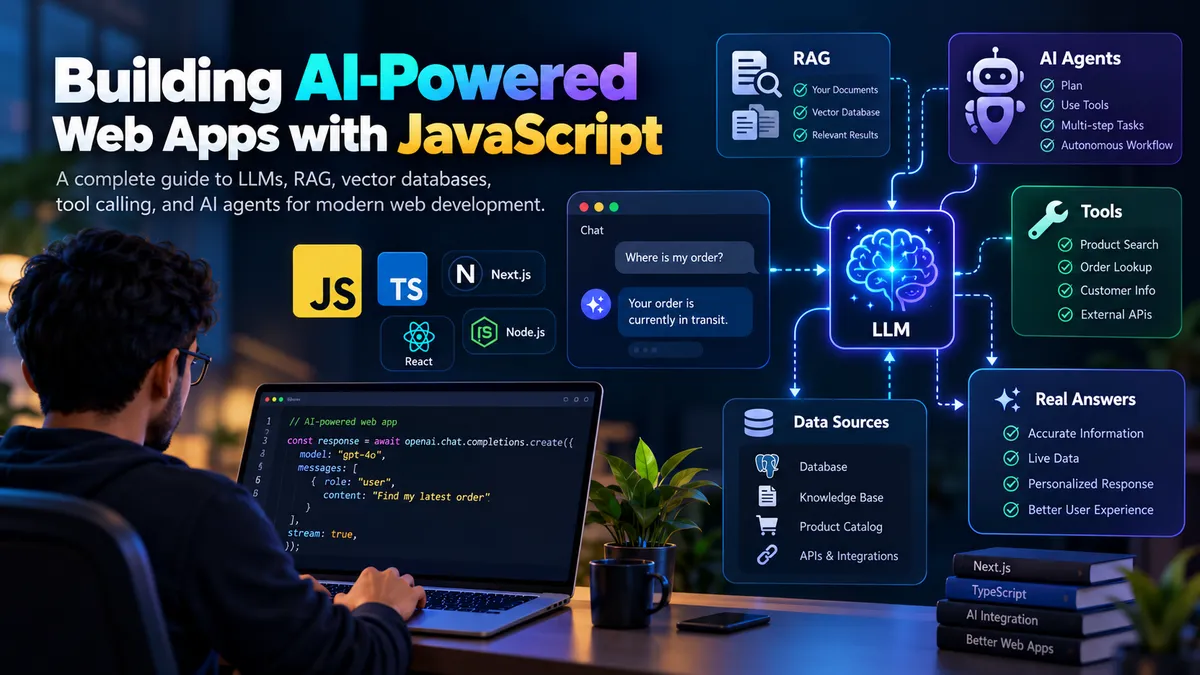
Artificial intelligence is quickly becoming a standard part of modern web development.
A few years ago, adding AI to an application often meant calling a chatbot API and displaying some text.
Today, developers are building applications that can:
- Understand natural language
- Search private company data
- Stream responses in real time
- Call external APIs
- Search product catalogs
- Retrieve customer orders
- Generate structured data
- Execute multi-step workflows
- Use tools automatically
- Remember conversation context
- Work as autonomous or semi-autonomous agents
JavaScript and TypeScript are now at the center of many of these applications.
In this guide, we will explore the core concepts behind modern AI-powered web apps and understand how technologies such as LLMs, RAG, vector databases, embeddings, streaming, tool calling, and AI agents fit together.
The Traditional Web Application
A normal web application usually follows a predictable flow.
User
 ↓
Frontend
 ↓
Backend API
 ↓
Database
 ↓
Response
For example, imagine an e-commerce website.
The user opens:
/products/123
The frontend sends a request:
GET /api/products/123
The backend retrieves the product from the database and returns:
{
  "id": 123,
  "name": "Wireless Headphones",
  "price": 99
}
Everything is deterministic.
The developer defines:
Request → Logic → Response
AI applications work differently.
How an AI Application Works
An AI-powered application may look like this:
User
 ↓
Chat Interface
 ↓
Application Backend
 ↓
LLM
 ↓
Tools / RAG / APIs / Database
 ↓
LLM
 ↓
Generated Response
Instead of defining every possible response manually, developers provide the AI model with:
- Instructions
- Context
- Relevant data
- Available tools
- Conversation history
The model then decides how to generate the response.
1. Large Language Models
At the center of most AI applications is a Large Language Model, commonly called an LLM.
An LLM can understand and generate natural language.
For example:
User:
Which laptop should I buy for React development?
The model receives the message and generates a relevant response.
From a JavaScript application, the concept might look like:
const response = await ai.generate({
  model: 'your-model',
  messages: [
    {
      role: 'user',
      content: 'Which laptop should I buy for React development?'
    }
  ]
});
The actual SDK differs between AI providers, but the architecture is similar.
2. Prompts
A prompt is the information sent to the model.
The simplest prompt is:
Explain JavaScript closures.
But production applications usually provide much more context.
For example:
const systemPrompt = `
You are a customer support assistant.

Rules:
- Answer only questions about our products.
- Keep answers concise.
- Never invent product information.
- Use available tools when order information is required.
`;
Then the conversation may contain:
const messages = [
  {
    role: 'system',
    content: systemPrompt
  },
  {
    role: 'user',
    content: 'Where is my order?'
  }
];
The system prompt defines how the AI should behave.
3. Streaming Responses
Traditional APIs normally return the entire response at once.
Request
   ↓
Wait
   ↓
Complete response
AI responses can take longer to generate.
Instead of making users wait, modern AI applications use streaming.
The model sends tokens gradually:
Your
Your order
Your order is
Your order is currently
Your order is currently being shipped.
This creates the familiar chatbot typing experience.
The architecture becomes:
Browser
 ↓
API Route
 ↓
AI Model
 ↓
Streaming Response
 ↓
Browser UI
For a chatbot, streaming greatly improves perceived performance.
4. Why LLMs Need External Data
An LLM does not automatically know your private application data.
For example, it does not know:
Your product catalog
Customer orders
Company documentation
Internal FAQs
Private files
Current inventory
Account information
Suppose someone asks:
Do you have the ZX200 headphones in stock?
The AI should not guess.
Instead, your application needs to retrieve the actual information.
There are two common approaches:
RAG
and
Tool Calling
5. RAG — Retrieval-Augmented Generation
RAG stands for:
Retrieval-Augmented Generation
The basic idea is simple.
Instead of asking the AI to answer only from its existing knowledge, your application first finds relevant information from your own data.
Then that information is provided to the model.
The flow looks like this:
User Question
 ↓
Search Knowledge Base
 ↓
Find Relevant Content
 ↓
Send Content + Question to LLM
 ↓
Generate Answer
Suppose the user asks:
How long is the refund period?
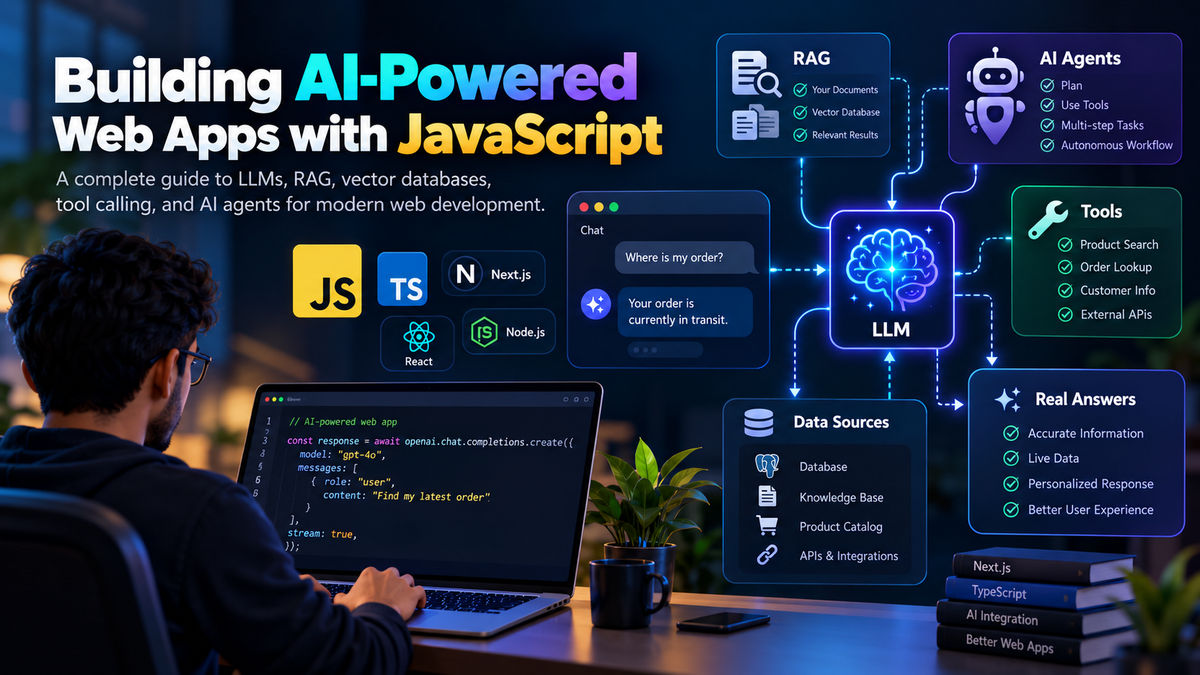 ai powered javascript web apps cover 1200x675 LYJOsomtvK
Your knowledge base contains:
Customers may request a refund within 30 days of purchase.
Your application retrieves that information and sends it to the model.
The model can then answer:
You can request a refund within 30 days of purchase.
Instead of inventing the policy.
6. Embeddings
RAG systems frequently use embeddings.
An embedding converts text into a numerical representation.
For example:
"How can I reset my password?"
might conceptually become:
[
  0.124,
  -0.348,
  0.912,
  0.042,
  ...
]
These numbers represent the meaning of the text.
Another sentence such as:
"I forgot my login password."
will usually have a similar vector representation.
This allows applications to search by meaning instead of exact keywords.
7. Vector Databases
Embeddings are commonly stored inside a vector database.
Traditional database search might look for exact text:
WHERE title LIKE '%password%'
A vector database can perform semantic search.
For example:
Query:
I cannot access my account.
It could retrieve documents about:
Forgotten passwords
Login problems
Account recovery
Authentication errors
even if the exact words are different.
Popular vector search architectures typically work like:
Documents
 ↓
Split into chunks
 ↓
Create embeddings
 ↓
Store vectors
 ↓
User asks question
 ↓
Create query embedding
 ↓
Search similar vectors
 ↓
Return relevant chunks
8. Document Chunking
Large documents cannot always be sent directly to an AI model.
Instead, documents are divided into smaller sections called chunks.
Example document:
Product Documentation
├── Installation
├── Configuration
├── Billing
├── Security
└── Troubleshooting
These sections can become separate chunks.
Each chunk receives an embedding and is stored in the vector database.
When someone asks:
How do I configure SSO?
the system retrieves only the relevant security or configuration chunks.
This reduces unnecessary context and improves answer quality.
9. Tool Calling
RAG is useful for knowledge.
But sometimes the AI needs to perform an action or retrieve live information.
That is where tool calling becomes important.
Imagine someone asks:
Where is order #12543?
Instead of searching documentation, the AI needs to call an order API.
You can expose a tool such as:
const getOrder = async ({ orderId }) => {
  return database.orders.findOne({
    id: orderId
  });
};
The AI receives a description:
{
  name: 'getOrder',
  description: 'Retrieve an order using an order ID'
}
The model can decide:
I need order information.
and request:
{
  "tool": "getOrder",
  "arguments": {
    "orderId": "12543"
  }
}
Your backend executes the function.
The result might be:
{
  "status": "shipped",
  "trackingNumber": "ABC123"
}
The model then produces:
Your order has been shipped. Your tracking number is ABC123.
10. AI Should Not Directly Access Everything
A common architectural mistake is giving an AI model unrestricted access to backend systems.
Instead, the application should expose carefully controlled tools.
For example:
AI
 ↓
Tool Layer
 ↓
Validation
 ↓
Authorization
 ↓
Business Logic
 ↓
Database / External API
The model should not directly execute arbitrary database commands.
Bad architecture:
AI → Production Database
Better architecture:
AI
 ↓
getOrder()
 ↓
Authorization
 ↓
Order Service
 ↓
Database
Your application remains responsible for security.
11. Structured Output
AI responses do not always need to be plain text.
Modern applications frequently request structured data.
For example:
{
  "category": "billing",
  "priority": "high",
  "requiresHumanSupport": true
}
This is useful for:
- Ticket classification
- Lead qualification
- Product recommendations
- Data extraction
- Routing requests
- Content generation
- Automated workflows
Conceptually:
const result = await ai.generateObject({
  schema: {
    category: 'string',
    priority: 'string',
    requiresHumanSupport: 'boolean'
  }
});
Structured output makes AI much easier to integrate with normal application logic.
12. AI Agents
An AI agent goes beyond generating one response.
An agent can:
- Understand a goal
- Determine what information it needs
- Select a tool
- Execute the tool
- Inspect the result
- Decide the next action
- Continue until the task is complete
For example:
User:
Find my latest order and tell me whether I can cancel it.
The agent might perform:
Step 1:
Identify customer

Step 2:
Call getOrders()

Step 3:
Find latest order

Step 4:
Call getOrderStatus()

Step 5:
Check cancellation policy

Step 6:
Generate answer
This is much more powerful than a normal chatbot.
13. Agentic Workflow
An agentic workflow could look like:
User
 ↓
AI Agent
 ↓
Determine Intent
 ↓
Choose Tool
 ├── Product Search
 ├── Order Search
 ├── Knowledge Search
 ├── Customer Lookup
 └── Support Ticket
 ↓
Evaluate Result
 ↓
Need More Information?
 ├── Yes → Call Another Tool
 └── No → Generate Response
The AI acts as an orchestration layer.
However, developers still define:
What tools exist
What permissions they have
What data they can access
How many steps they can execute
What actions require confirmation
14. RAG vs Tool Calling
These concepts are related but solve different problems.
| RAG | Tool Calling |
|---|---|
| Retrieves knowledge | Executes functions |
| Searches documents | Calls APIs |
| Useful for FAQs | Useful for live data |
| Works with vector search | Works with application functions |
| Mostly read-oriented | Can perform actions |
Example:
"What is your refund policy?"
Use:
RAG
Example:
"Has my order shipped?"
Use:
Tool Calling
Example:
"Cancel my order."
Use:
Tool Calling + Authorization + Confirmation
15. A Modern AI E-Commerce Chatbot
Imagine we are building an AI chatbot for an online store.
The architecture could be:
Customer
 ↓
React / Next.js Chat UI
 ↓
AI Backend
 ↓
Intent / Agent Layer
 ↓
┌───────────────────────────────┐
│                               │
│ RAG Knowledge Search          │
│ Product Search Tool           │
│ Order Search Tool             │
│ Cart Tool                     │
│ Customer Tool                 │
│ Human Support Tool            │
│                               │
└───────────────────────────────┘
 ↓
LLM
 ↓
Streaming Response
 ↓
Customer
Now the chatbot can handle many different requests.
Example: Product Question
User:
Do you have waterproof running shoes under $100?
The AI calls:
searchProducts({
  query: "waterproof running shoes",
  maxPrice: 100
})
The product system returns:
[
  {
    "name": "TrailRunner X2",
    "price": 89,
    "waterproof": true
  }
]
The AI responds using actual product data.
Example: Order Search
User:
Where is my last order?
The AI may call:
getCustomer()
then:
getOrders()
then:
getTrackingStatus()
Finally:
Your latest order was shipped yesterday and is currently in transit.
Example: RAG Support Question
User:
How long do refunds take?
The system searches the support knowledge base.
Relevant content:
Approved refunds usually appear within 5–7 business days.
The AI responds using that retrieved information.
16. Conversation Memory
Users expect conversations to maintain context.
Consider:
User:
Show me laptops under $1,000.

AI:
Here are three options.

User:
Which one has the best battery?
The second message does not mention laptops.
Your application needs conversation history so the AI understands what:
"Which one"
means.
A simple system might send recent messages:
const messages = [
  previousMessage1,
  previousMessage2,
  previousMessage3,
  currentMessage
];
For long conversations, more advanced applications may summarize older messages.
17. Short-Term vs Long-Term Memory
AI memory can be divided into two broad categories.
Short-Term Memory
Recent conversation messages.
Example:
User prefers the second laptop shown earlier.
Usually stored within the current session.
Long-Term Memory
Information saved between conversations.
For example:
Preferred language
Preferred product category
Account preferences
Previous support context
Long-term memory should be handled carefully because it introduces privacy and data retention considerations.
18. AI Guardrails
Production AI applications need guardrails.
You should not rely only on the prompt.
Guardrails may include:
Authentication
Authorization
Input validation
Output validation
Rate limiting
Tool restrictions
Content moderation
Maximum agent steps
Audit logs
Human confirmation
For example, an AI should never be able to execute:
cancelOrder(orderId);
without checking that the order belongs to the authenticated customer.
19. Human-in-the-Loop
AI should not automate every decision.
Some actions should require human confirmation.
For example:
Refund $2,000
Delete account
Cancel subscription
Modify billing
Change security settings
A safer workflow is:
AI identifies requested action
 ↓
Backend validates request
 ↓
User confirms
 ↓
Application executes action
The AI assists with the workflow but does not bypass business rules.
20. Hallucination
One of the biggest problems with LLMs is hallucination.
Hallucination means the model generates information that sounds correct but is not supported by real data.
For example:
User:
When will product X be available?

AI:
Product X will be available next Friday.
If your system does not actually know the inventory schedule, that answer is dangerous.
A better system should respond:
I don't currently have confirmed availability information for that product.
RAG and tool calling help reduce hallucination by grounding responses in real data.
21. Context Windows
AI models have a limited amount of information they can process at once.
This is called the context window.
Your application might send:
System instructions
Conversation history
Retrieved documents
Tool definitions
User question
All of these consume context.
Therefore, developers need to carefully control what information is sent.
Do not simply send:
Every document
Every previous conversation
Every database record
Instead, retrieve only what is relevant.
22. Token Usage
AI models typically process text as tokens.
Very roughly:
More text → More tokens → More processing
This affects:
Cost
Latency
Context usage
AI architecture is therefore also an optimization problem.
A production application should avoid unnecessarily sending huge amounts of data with every request.
23. Caching
Some AI results can be cached.
For example:
Frequently asked questions
Document summaries
Generated embeddings
Product descriptions
Static knowledge answers
You generally should not repeatedly regenerate something if the underlying data has not changed.
A common architecture may use:
Redis
Database cache
CDN
Application cache
depending on the use case.
24. Background AI Jobs
Not every AI operation should happen during a live user request.
Some work is better handled asynchronously.
Examples:
Generating embeddings
Summarizing documents
Training knowledge content
Analyzing conversations
Generating reports
Creating weekly summaries
Classifying large datasets
A queue-based architecture could look like:
Application
 ↓
Job Queue
 ↓
Worker
 ↓
AI Service
 ↓
Database
This prevents expensive AI operations from blocking normal application requests.
25. AI Application Architecture
A scalable JavaScript AI application might look like this:
Next.js / React
      ↓
API Gateway
      ↓
Authentication
      ↓
AI Orchestrator
      ↓
┌─────────────────────────────┐
│ LLM                         │
│ RAG Service                 │
│ Vector Database             │
│ Tool Registry               │
│ Agent Runtime               │
│ Conversation Memory         │
└─────────────────────────────┘
      ↓
Application Services
      ↓
┌─────────────────────────────┐
│ PostgreSQL                  │
│ Redis                       │
│ Search Engine               │
│ Product APIs                │
│ Order APIs                  │
│ External Integrations       │
└─────────────────────────────┘
The important point is that the LLM is only one part of the system.
A good AI application is still a well-designed software system.
26. JavaScript Is a Strong Choice for AI Applications
Python dominates AI model research and machine learning.
But JavaScript and TypeScript are extremely strong choices for building AI products.
Especially when the application includes:
Web interfaces
APIs
Chat applications
Streaming
SaaS products
Serverless functions
Edge applications
Real-time communication
A full-stack application can use:
React
Next.js
TypeScript
Node.js
PostgreSQL
Redis
Vector search
AI APIs
without needing separate frontend and AI application languages for many common use cases.
27. Example Project Structure
A modern AI application might use:
src/
├── app/
│   ├── api/
│   │   └── chat/
│   └── chat/
│
├── ai/
│   ├── agents/
│   ├── prompts/
│   ├── rag/
│   ├── tools/
│   ├── memory/
│   └── models/
│
├── services/
│   ├── orders/
│   ├── products/
│   ├── customers/
│   └── support/
│
├── db/
│
├── lib/
│
└── types/
Separating AI-specific orchestration from application business logic makes the project easier to maintain.
28. Keep Business Logic Outside the Prompt
Avoid putting important business rules only inside prompts.
Bad:
Prompt:
Never allow refunds older than 30 days.
Better:
function canRefund(order) {
  return order.ageInDays <= 30;
}
The AI can decide that the user is asking for a refund.
But your application should determine whether the refund is actually allowed.
Use AI for:
Understanding
Reasoning
Classification
Generation
Tool selection
Use application code for:
Authorization
Permissions
Billing
Validation
Critical business rules
Database integrity
29. Observability
Traditional applications are usually monitored using:
Logs
Metrics
Errors
Traces
AI applications need additional observability.
You may want to track:
Prompt
Model
Response
Latency
Token usage
Retrieved documents
Tool calls
Tool errors
Agent steps
User feedback
Cost
Without observability, debugging AI behavior becomes extremely difficult.
30. Evaluating AI Quality
AI applications cannot be tested only with traditional unit tests.
You may also need evaluation datasets.
Example:
const tests = [
  {
    question: 'What is the refund period?',
    expectedTopic: '30-day refund policy'
  },
  {
    question: 'Where is order 123?',
    expectedTool: 'getOrder'
  }
];
You can measure:
Correctness
Relevance
Tool selection
Hallucination rate
Response quality
Latency
Cost
This is often called LLM evaluation or AI evaluation.
31. AI Does Not Replace Your Backend
One misconception is:
AI will replace normal backend development.
In reality, production AI usually depends heavily on traditional backend engineering.
You still need:
Databases
Authentication
Authorization
Caching
Queues
APIs
Logging
Monitoring
Rate limiting
Testing
Infrastructure
Security
AI adds a new intelligence layer on top of these systems.
32. The Modern AI Developer Stack
A practical AI web stack may contain:
| Layer | Technology |
|---|---|
| Frontend | React / Next.js |
| Language | TypeScript |
| Backend | Node.js |
| Database | PostgreSQL |
| Cache | Redis |
| AI | LLM API |
| Knowledge | RAG |
| Semantic Search | Vector Database |
| Search | Elasticsearch / OpenSearch |
| Actions | Tool Calling |
| Automation | AI Agents |
| Background Jobs | Queue Workers |
| Monitoring | Logs + AI Tracing |
You do not need every technology from day one.
The architecture should grow with the application.
33. A Simple Mental Model
If all these AI concepts feel complicated, remember this model:
LLM
= Brain
Prompt
= Instructions
RAG
= Knowledge
Vector Database
= Semantic Memory Search
Tools
= Actions
Agent
= Decision Maker
Application Backend
= Rules and Security
Combine them:
User
 ↓
AI Brain
 ↓
Need Knowledge?
 → RAG

Need Live Data?
 → Tool

Need Action?
 → Tool

Need Multiple Steps?
 → Agent

Need Security?
 → Backend Rules
 ↓
Response
Final Thoughts
Modern AI development is much more than adding a chatbot to a website.
The most useful AI applications combine several technologies:
LLMs
RAG
Embeddings
Vector Databases
Streaming
Structured Output
Tool Calling
Agents
Conversation Memory
Traditional Backend Services
The LLM provides intelligence, but your application still provides the data, permissions, business logic, integrations, and security.
For JavaScript developers, this creates a major opportunity.
If you already understand:
JavaScript
TypeScript
React
Next.js
Node.js
APIs
Databases
you already have most of the engineering foundation required to start building AI-powered applications.
The next step is learning how to connect those existing software engineering skills with:
LLMs
RAG
Tool Calling
Agents
Vector Search
That is where modern web development is heading.
Author
Md. Ahanaf Tahmid Islam
Software Engineer L2
Related Articles
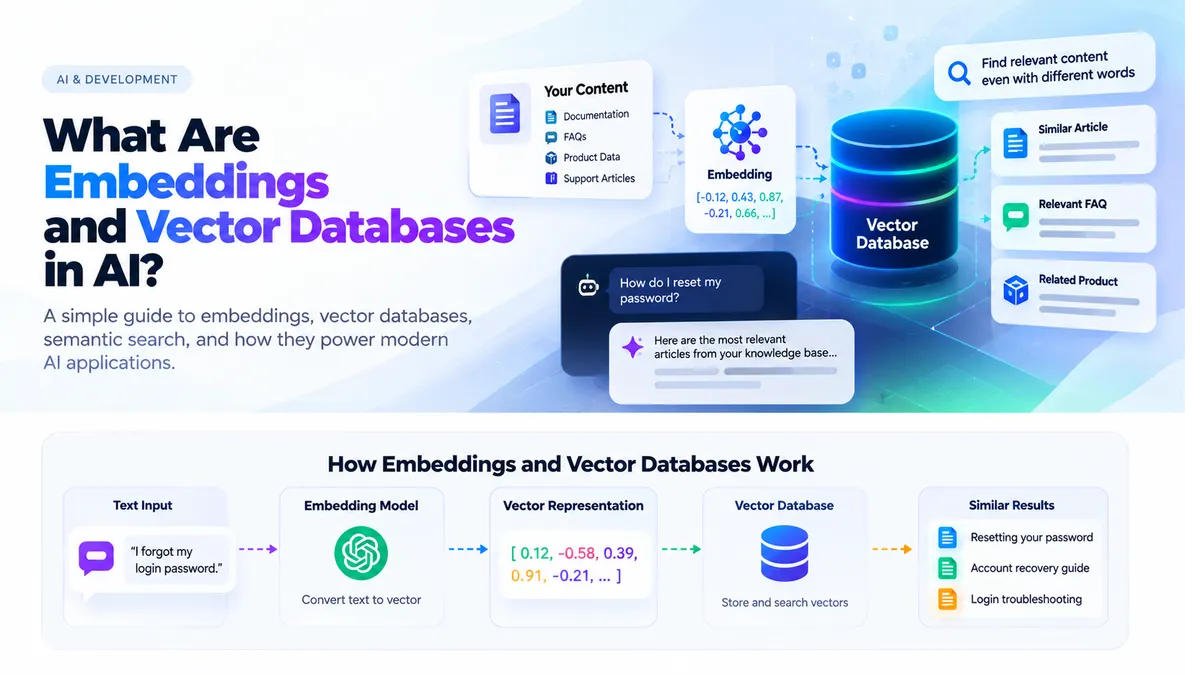
What Are Embeddings and Vector Databases in AI?
Learn how embeddings and vector databases help AI applications understand meaning, perform semantic search, and power modern RAG systems.
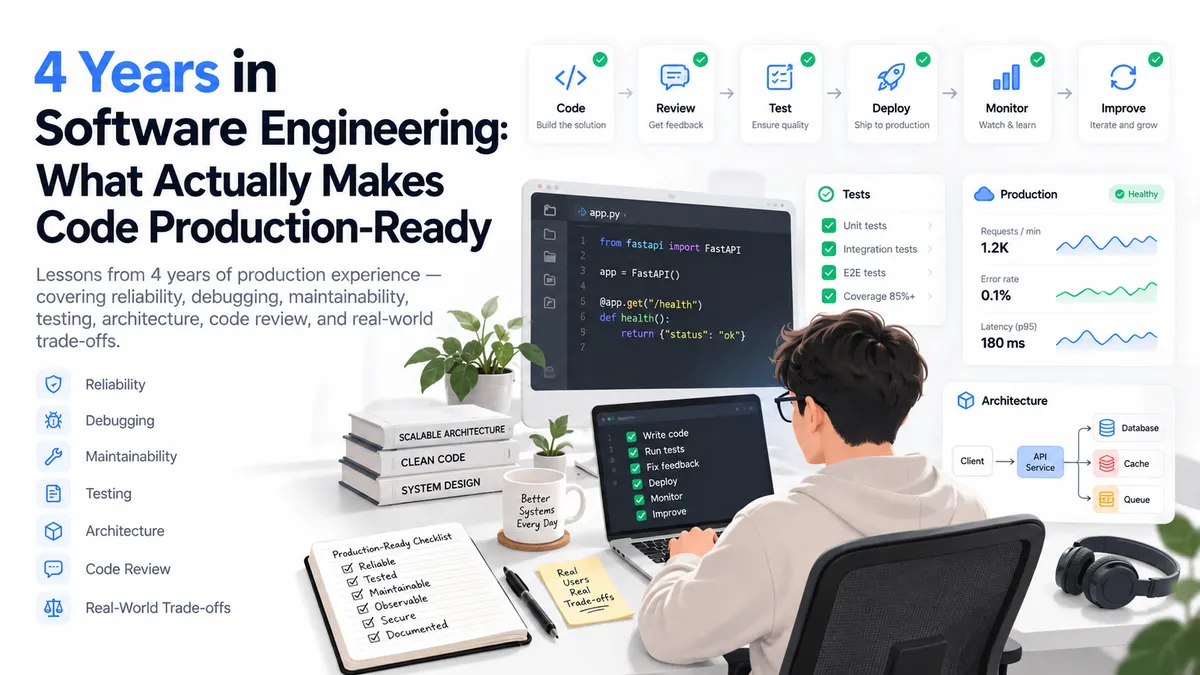
4 Years in Software Engineering: What Actually Makes Code Production-Ready
Lessons I learned after four years of building production software—covering reliability, maintainability, debugging, architecture, reviews, and real-world engineering trade-offs.

All About Javascript Array Methods
Today's blog is all about Javascript array methods. There are different types of array methods in Javascript, and those methods are built-in to Javascript. We can use every method for various purposes. So Let's Start.