What Are Embeddings and Vector Databases in AI?
Learn how embeddings and vector databases help AI applications understand meaning, perform semantic search, and power modern RAG systems.

Md. Ahanaf Tahmid Islam
Software Engineer L2 · EchoLogyx Limited
6 min read
1,188 words
October 7, 2026
AI & Development
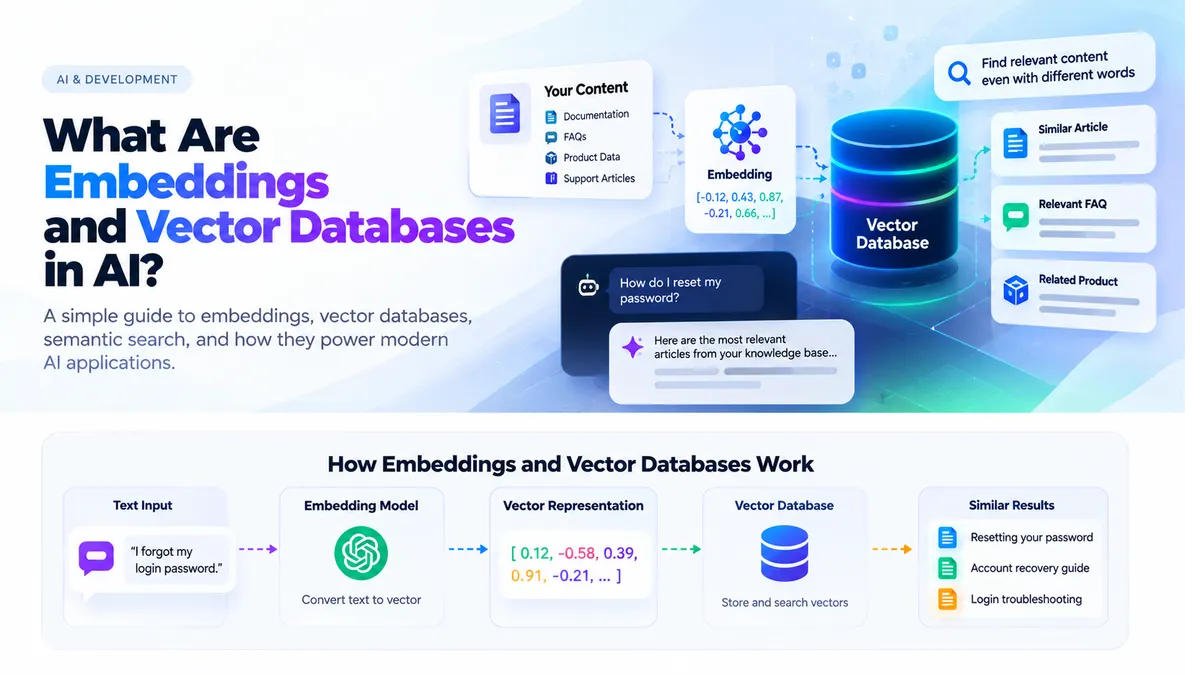
If you are learning about modern AI applications, you will quickly come across terms like embeddings, vector databases, semantic search, RAG, and similarity search.
They may sound complex, but the core idea is surprisingly simple:
Embeddings help software represent meaning as numbers, while vector databases help applications search those representations efficiently.
Together, they allow AI systems to find relevant information based on meaning instead of exact words.
The Problem With Traditional Search
Imagine your documentation contains this sentence:
Customers can reset their password from the account settings page.
A user searches:
I forgot my login credentials.
A basic keyword search may struggle because the user never typed:
reset password
Yet both sentences are clearly related.
A human understands that immediately. Traditional keyword matching may not.
That is where embeddings and semantic search become useful.
What Is an Embedding?
An embedding converts text into a numerical representation called a vector.
For example:
How do I reset my password?
may conceptually become:
[
  0.124,
  -0.582,
  0.392,
  0.891,
  -0.231,
  // ...
]
Real embedding models usually generate vectors containing many more values.
Those numbers capture patterns related to the meaning of the text.
Another sentence such as:
I forgot my account password.
would likely produce a vector that is semantically close to the first one.
The application can then compare those vectors mathematically.
Why Are Embeddings Useful?
Consider these three sentences:
How do I reset my password?

I forgot my login password.

I cannot access my account.
The wording is different, but the meaning overlaps.
Embeddings make it possible for software to represent that relationship numerically.
This enables applications to perform searches based on semantic similarity rather than exact text matching.
What Is Semantic Search?
Traditional search often behaves like this:
User Query
    ↓
Keyword Matching
    ↓
Results
Semantic search works differently:
User Query
    ↓
Create Embedding
    ↓
Compare Meaning
    ↓
Return Similar Content
Instead of asking:
Does this document contain exactly the same words?
the system effectively asks:
Which documents are most similar in meaning to this question?
That difference makes semantic search particularly useful for AI assistants, documentation systems, product discovery, and knowledge bases.
What Is a Vector Database?
Once you create embeddings, you need an efficient way to store and search them.
That is the role of a vector database.
A typical vector record may include:
Original Content
+
Embedding
+
Metadata
For example:
{
  id: 123,
  content: "Customers can reset their password from account settings.",
  embedding: [0.12, -0.58, 0.39, ...],
  category: "account"
}
When a user asks a question, the application:
- Creates an embedding for the question.
- Searches the vector database.
- Finds vectors representing similar content.
- Returns the most relevant results.
A Simple Vector Search Example
Suppose the user asks:
How can I recover my account?
The application might perform:
Question
    ↓
Create Embedding
    ↓
Search Vector Database
    ↓
Rank Similar Documents
    ↓
Return Best Matches
The results could include:
Resetting your password

Recovering your account

Login troubleshooting
The important part is that those documents can be found even when they do not contain exactly the same wording as the user's question.
How Embeddings Connect to RAG
Embeddings and vector databases are commonly used inside RAG systems.
RAG stands for:
Retrieval-Augmented Generation
Instead of asking an LLM to answer entirely from its existing knowledge, the application first retrieves relevant information.
The flow looks like this:
User Question
    ↓
Create Query Embedding
    ↓
Vector Search
    ↓
Retrieve Relevant Documents
    ↓
Send Context + Question to LLM
    ↓
Generate Answer
This allows an AI assistant to answer questions using your own documentation, FAQs, support articles, product information, or other knowledge sources.
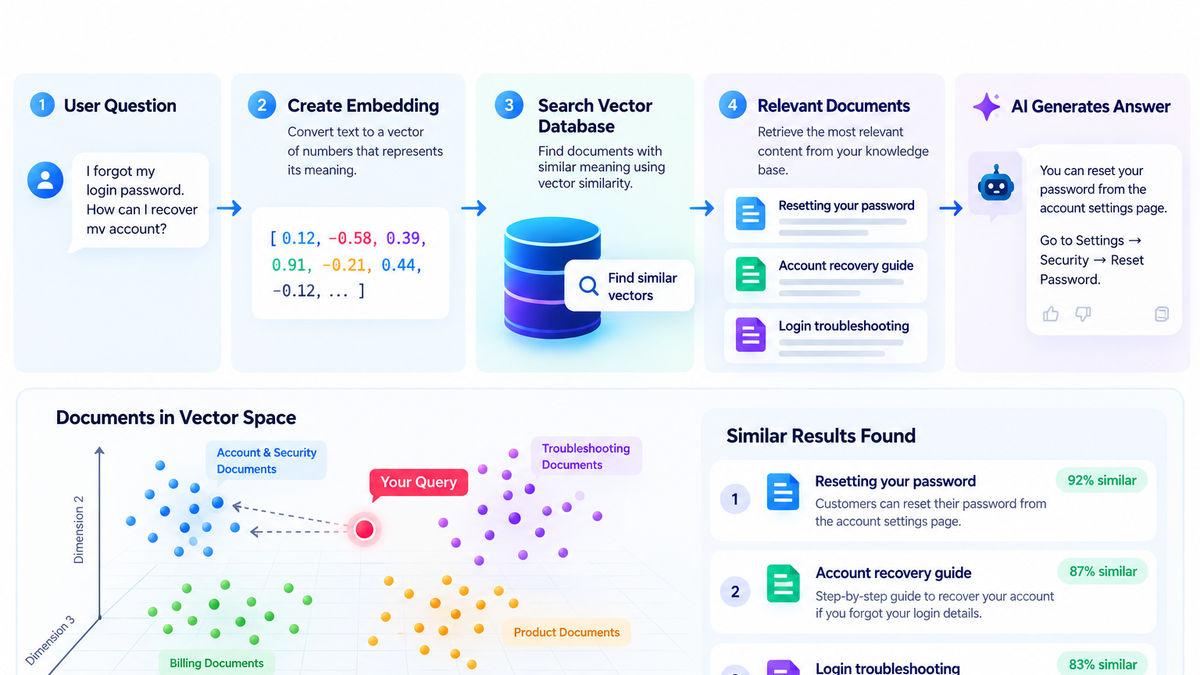 Embeddings to Answers: AI Vector Search
From user question to embedding, vector search, relevant documents, and the final AI-generated answer.
Why Documents Are Split Into Chunks
Imagine your company has thousands of documentation pages.
Sending every page to an LLM for every question would be inefficient.
Instead, documents are usually divided into smaller sections called chunks.
For example:
User Guide
├── Account Setup
├── Billing
├── Subscription
├── Security
└── Troubleshooting
Each section can be processed separately.
A common ingestion flow looks like:
Documents
    ↓
Split Into Chunks
    ↓
Create Embeddings
    ↓
Store in Vector Database
Now imagine the user asks:
How do I enable two-factor authentication?
Instead of sending the entire user guide to the LLM, the application can retrieve the most relevant security-related content.
This reduces unnecessary context and helps the model focus on information that actually matters.
How Similarity Search Works
Vector databases compare vectors using mathematical similarity or distance calculations.
Conceptually:
User Question Vector
        ↓
Compare With Stored Vectors
        ↓
Calculate Similarity
        ↓
Rank Results
Common techniques include:
Cosine Similarity

Dot Product

Euclidean Distance
Depending on the method being used, the system looks for vectors with either a higher similarity score or a smaller distance.
The practical idea remains simple:
More similar vectors
≈
More similar meaning
Example: E-Commerce Product Search
Semantic search is useful beyond documentation.
Imagine a customer asks:
Which shoes are suitable for running in rain?
A product description says:
Water-resistant trail running shoes designed for wet conditions.
A simple keyword search might look specifically for:
running
rain
But semantic search can recognize that:
wet conditions
is closely related to:
rain
That can produce much better product discovery results.
Vector Search vs Traditional Database Search
Vector databases do not replace normal databases.
They solve different types of problems.
| Traditional Database | Vector Search |
|---|---|
| Exact values | Similar meanings |
| IDs | Embeddings |
| Structured filters | Semantic similarity |
| SQL-style queries | Vector queries |
| Deterministic matching | Meaning-based matching |
A traditional database is excellent for queries such as:
order_id = 12345

price < 100

status = shipped
Vector search is better suited to requests like:
Find products similar to this description.

Find documentation related to this question.

Find support tickets with similar problems.
Most AI Applications Need Both
A production AI system will often use traditional databases and vector search together.
For example, PostgreSQL might store:
Users
Orders
Products
Subscriptions
while vector search is used for:
Documentation
FAQs
Product descriptions
Support content
Knowledge bases
The application chooses the correct retrieval method based on what the user is asking.
An order lookup may require an exact database query.
A documentation question may require semantic vector search.
Embeddings Are Not the Original Content
An embedding is a numerical representation of content.
It is not the original document itself.
A record may look like:
{
  content: "Our refund period is 30 days.",
  embedding: [...],
  source: "/refund-policy"
}
The embedding helps the system locate relevant information.
The original content is what can then be supplied to the LLM as context.
A useful mental model is:
Embedding
= Helps find the information

Original Content
= Contains the information
Metadata Filtering
Semantic similarity alone is not always enough.
Suppose your knowledge base contains documentation for several different products.
A user asks:
How do I reset it?
Your application might perform semantic search while also applying a filter:
Semantic Query:
"How do I reset it?"

Filter:
product = "Product A"
Metadata can include:
Product ID
Customer ID
Language
Category
Document Type
Permissions
Created Date
Combining semantic search with metadata filtering helps prevent unrelated content from being retrieved.
Security Still Matters
A vector database should never bypass your application's authorization rules.
Imagine the knowledge base contains:
Public Documentation

Internal Documentation

Customer Private Files
The AI should not automatically have access to everything.
A safer architecture is:
User
    ↓
Authentication
    ↓
Permission Check
    ↓
Vector Search
    ↓
Allowed Documents Only
    ↓
LLM
Your backend should remain responsible for authentication, authorization, and access control.
AI does not replace those security requirements.
Common Use Cases
Embeddings and vector databases are useful across many AI applications.
AI Chatbots
Retrieve company knowledge before generating an answer.
Documentation Search
Find relevant articles even when the user uses different terminology.
Product Recommendations
Find products semantically similar to a customer's request.
Customer Support
Locate previous tickets involving similar problems.
RAG Applications
Retrieve relevant context before sending a question to an LLM.
Content Discovery
Recommend related documents, articles, products, or other content.
A Simple AI Architecture
A modern web application might use the following flow:
User
    ↓
React / Next.js
    ↓
Backend
    ↓
Create Query Embedding
    ↓
Vector Database
    ↓
Relevant Documents
    ↓
LLM
    ↓
Streaming Response
    ↓
User
The vector database is not replacing the LLM.
Instead, it helps provide the LLM with more relevant context.
The responsibilities are different:
Vector Database
= Find relevant knowledge

LLM
= Understand the context and generate the response
The Simple Mental Model
You can remember the entire architecture with four definitions.
Embedding
Meaning represented as numbers
Vector Database
A system for storing and searching vectors efficiently
Semantic Search
Search based on meaning instead of exact wording
RAG
Retrieve useful information before asking an LLM to answer
Put everything together:
Text
    ↓
Embedding
    ↓
Vector Database
    ↓
Relevant Knowledge
    ↓
LLM
    ↓
Better Answer
Final Thoughts
Embeddings and vector databases are fundamental building blocks of many modern AI applications.
They make it possible to move beyond exact keyword matching and search information according to meaning.
This is especially valuable when building:
- AI chatbots
- RAG systems
- Knowledge assistants
- Semantic search
- Product discovery
- Support automation
The main concept to remember is:
Embeddings represent meaning numerically. Vector databases help applications find similar meaning efficiently.
Once that relationship makes sense, technologies such as semantic search and RAG become much easier to understand—and much easier to build into real applications.
Author
Md. Ahanaf Tahmid Islam
Software Engineer L2
Related Articles
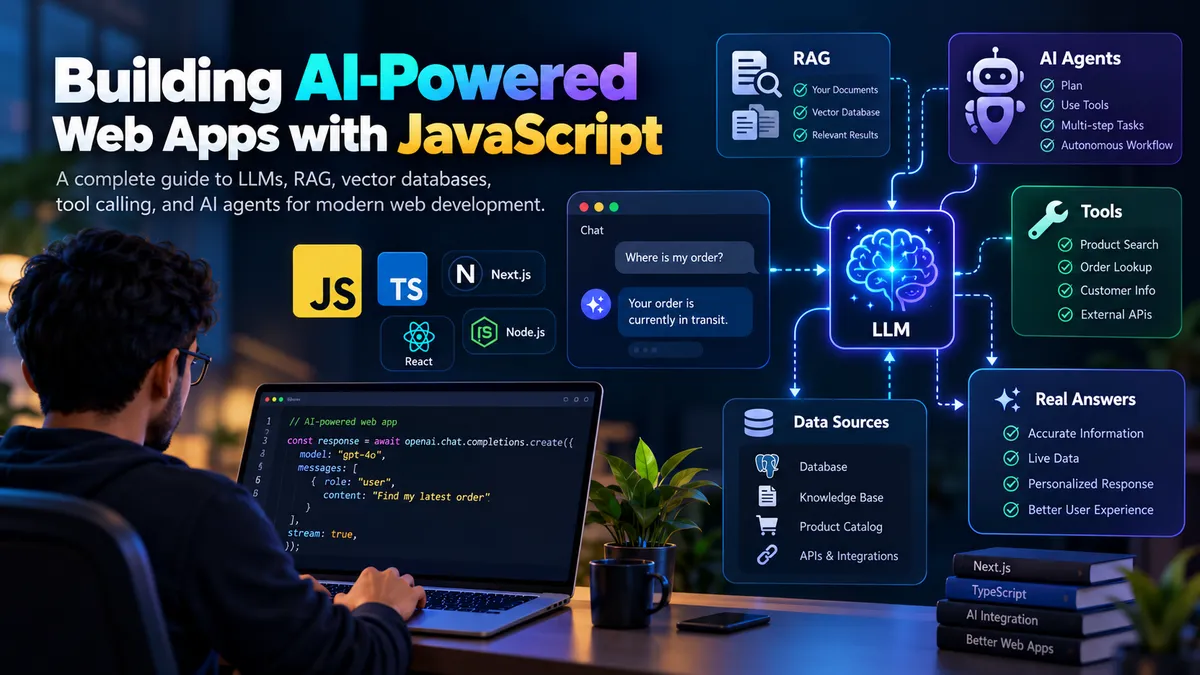
Building AI-Powered Web Apps with JavaScript in 2026
Learn how modern JavaScript applications integrate AI using LLMs, streaming responses, RAG, vector databases, tool calling, and AI agents.
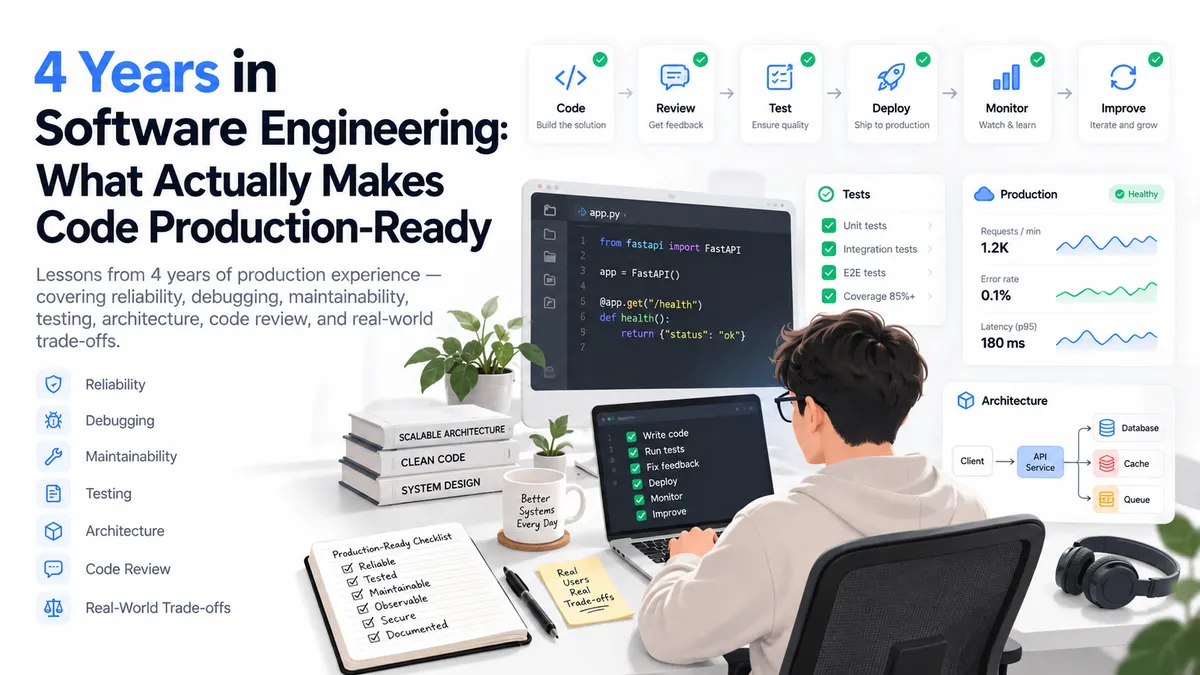
4 Years in Software Engineering: What Actually Makes Code Production-Ready
Lessons I learned after four years of building production software—covering reliability, maintainability, debugging, architecture, reviews, and real-world engineering trade-offs.

All About Javascript Array Methods
Today's blog is all about Javascript array methods. There are different types of array methods in Javascript, and those methods are built-in to Javascript. We can use every method for various purposes. So Let's Start.